AI Term of the Moment
FP4
Definition: CLC Dev Images and Tables
For convenience, images are stored in two folders: a primary folder and alternate. The alternate folder enables new and changed images to be reviewed as a group.
CDE.PCT
A file named cde.pct must be in the primary image folder to indicate images are present. What is inside cde.pct makes no difference.
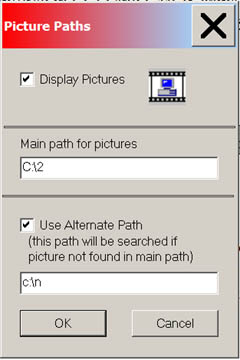
Picture Paths
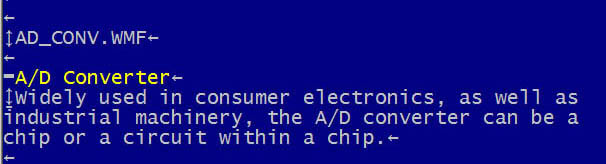
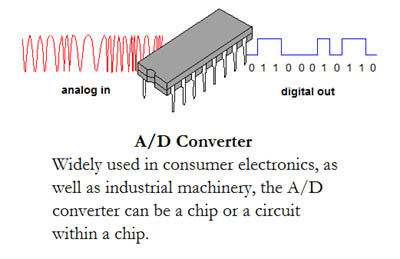
An Image in XyWrite and CDE
Tables (PT7 and PT8)
The Keyboard table above is in a "monospaced" format for columnar data. To begin monospacing, enter PT 7 on a blank line and end it with a PT 8 on a blank line. Press Control-? to toggle between the yellow triangles and the tags.
CDE.PCT
A file named cde.pct must be in the primary image folder to indicate images are present. What is inside cde.pct makes no difference.
In CDE, select Options/Picture Paths. In this example, all new images are in c:\n and all the rest are in c:\2.
The examples above show how the A/D converter image is coded in XyWrite and rendered in CDE. Following are the keyboard commands to enter the codes for picture name, caption title and caption.
 Keyboard      XyWrite Image Codes

 Alt-F1     1. Press Alt-F1.
            2. Type image file name.
            3. Press Enter.

 Alt-F2     1. Press Alt-F2.
            2. Press Ctrl-B to turn bold on.
            3. Type caption title.
            4. Press Ctrl-N.

 Alt-F3     1. Press Alt-F3
            2. Type caption.
Tables (PT7 and PT8)
The Keyboard table above is in a "monospaced" format for columnar data. To begin monospacing, enter PT 7 on a blank line and end it with a PT 8 on a blank line. Press Control-? to toggle between the yellow triangles and the tags.